
Garmin AXIS
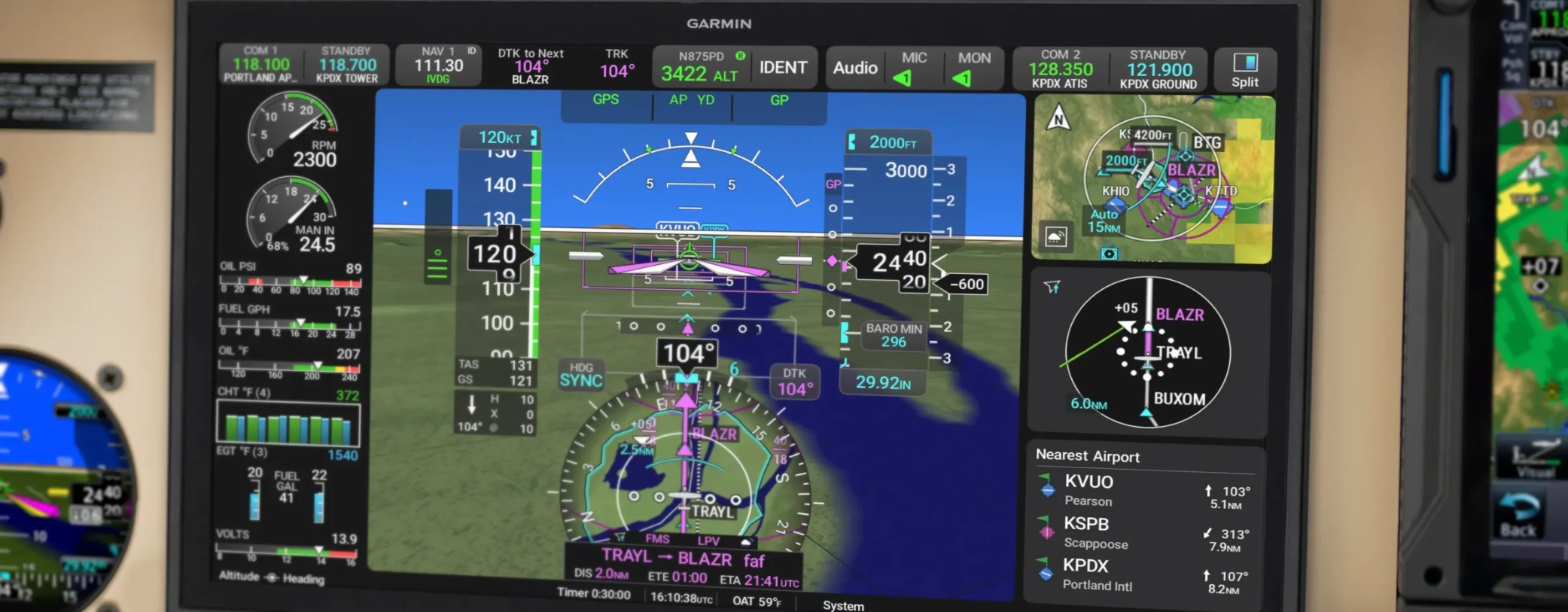
Garmin AXIS Flight Display System
AXIS is the center of your panel in every way. It combines our most advanced PFD, MFD or PFD/MFD/EIS features with a familiar Garmin feel and operation, now with higher-resolution, brighter, clearer displays. Optional integrated IFR GPS/NAV/COMM/audio capabilities allow a single 11.6-inch display to provide most critical functions as you fly. Plus, the AXIS flight display uses the same panel cutout and screw points as the 10.6-inch G3X Touch™ display, making it an easy upgrade in your aircraft.
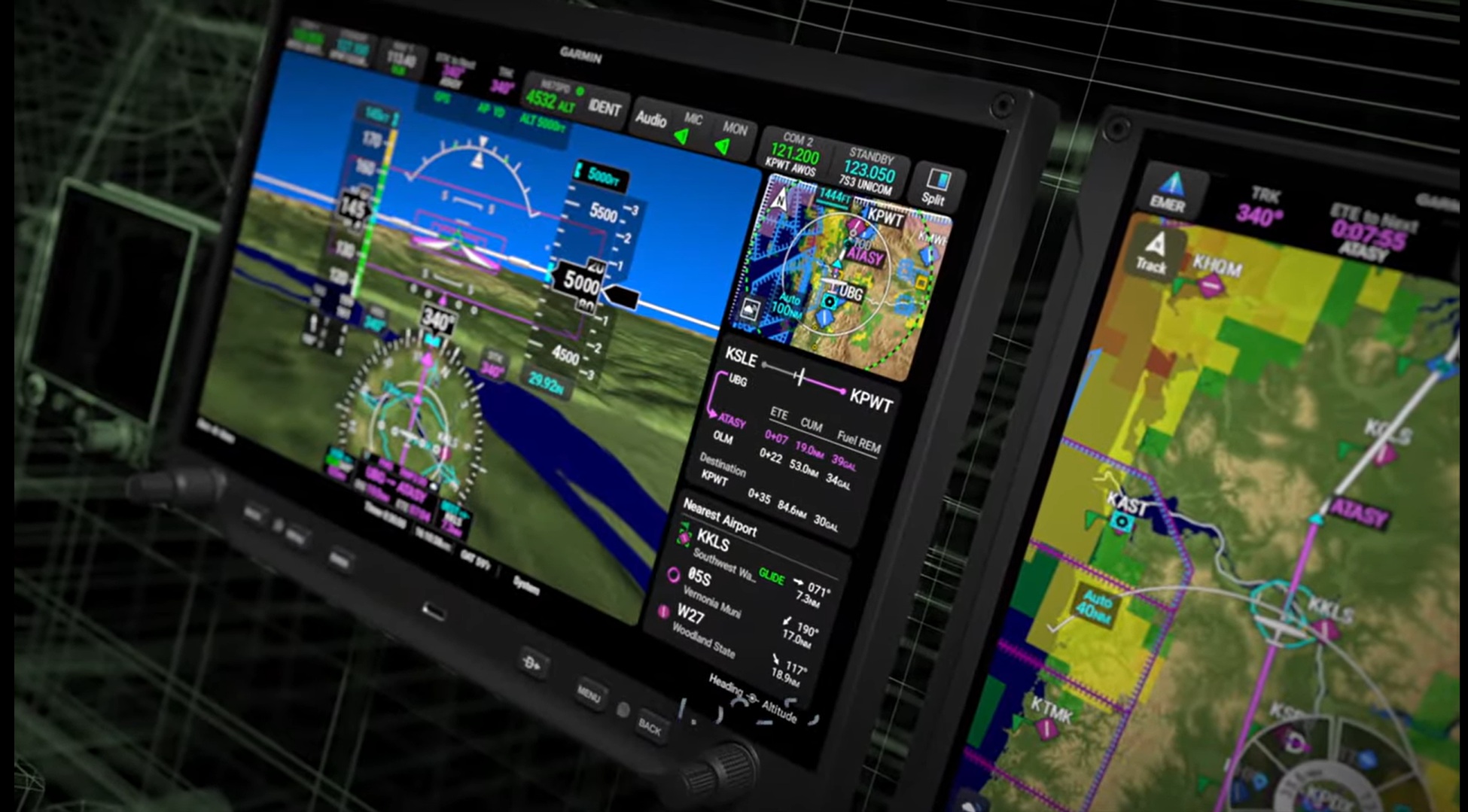
Primary Flight Display (PFD)
Upgrade your panel with a modern, reliable, all-digital PFD. Enjoy split-screen functionality with PFD/MFD/EIS windows. Add widgets on your PFD to view your flight plan, traffic, weather and more. Interact with quick access controls and view customizable data fields. Plus, improve your situational awareness with enhanced synthetic vision technology, 3D SafeTaxi® diagrams, an MFD-like moving map on your HSI and more.
Multifunction Display (MFD)
See more critical information more clearly as you fly. A dynamic map offers overlays for ADS-B “In” traffic and weather, terrain, obstacles and more. Split-screen capability puts more information in your view. An intuitive radial menu allows you to easily touch to access waypoint information and make flight plan updates. And simple controls provide easy access to additional tools and system data for greater awareness.
Engine Indication System (EIS)
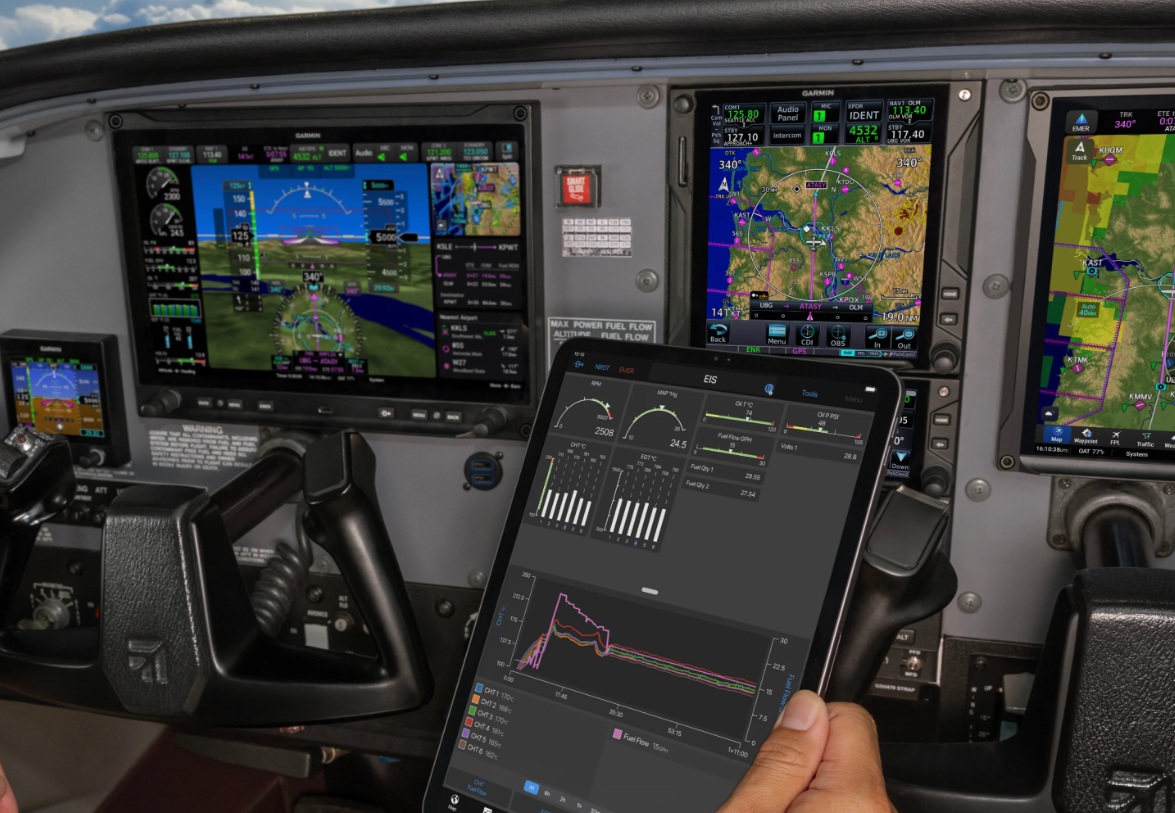
The AXIS flight display provides an advanced primary EIS for detailed real-time data that helps you better manage your engine operation and protect your investment. View easy-to-read gauges, a fuel computer, exceedance alerts/advisories and more. Easily access lean assist mode. Tap the EIS strip for a dedicated MFD page with expanded details. Plus, when paired with the Garmin Pilot™ app on your mobile device or a GDL® 60 datalink with PlaneSync™ technology (compatibility coming soon), it automatically logs and wirelessly uploads your engine data for secure storage. Optionally integrate with analysis services through the flyGarmin.com® website to gain deeper insights on engine health, maintenance updates, flight analysis and more. AXIS EIS is available for piston-powered aircraft equipped with most normally aspirated or turbocharged 4- to 6-cylinder engines plus turbine-powered experimental aircraft. Certified twin EIS is coming soon.
Integrated IFR GPS and Nav/Comm
Make the AXIS 11.6-inch display your all-in-one flight system. Available with optional built-in IFR GPS, NAV/COMM or COMM radios plus audio panel, your AXIS flight display streamlines your cockpit by putting nearly all your most important tools in a single place — all without a radio stack. AXIS is also compatible with external GPS and radios if you choose a traditional layout.
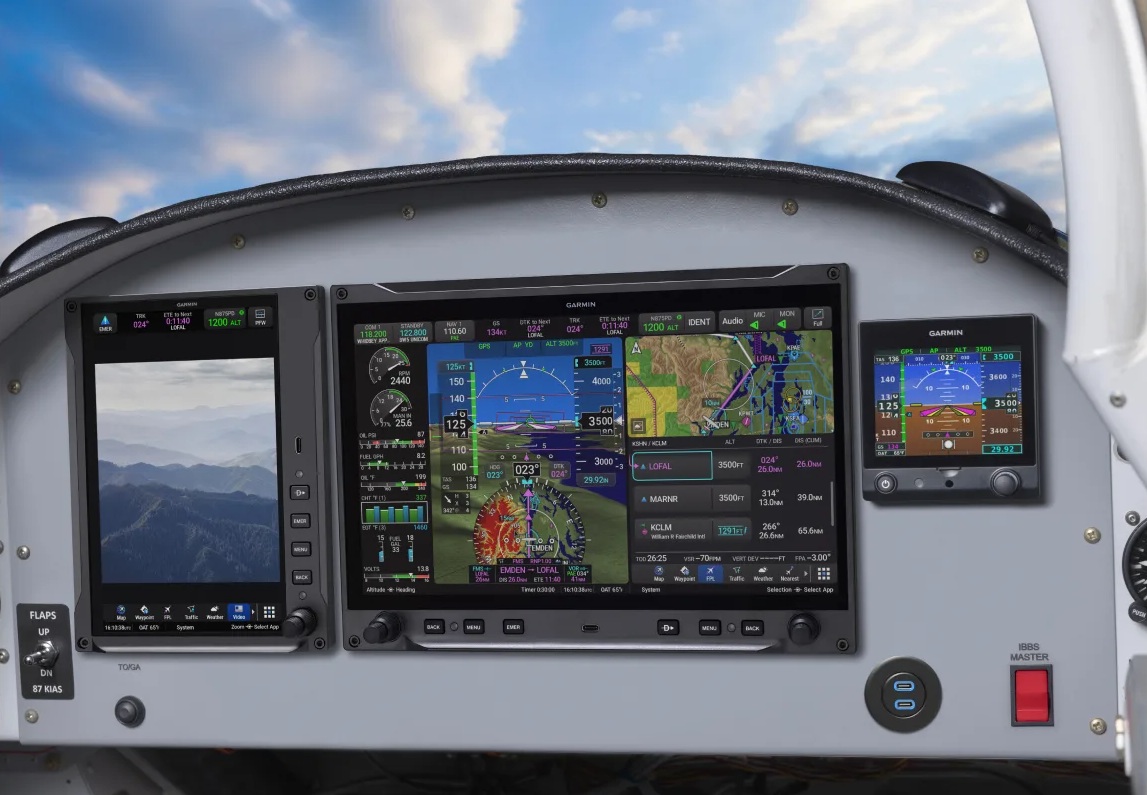
Advanced Flight Planning
Entering flight plans into AXIS is simple. Just tap to enter. Graphical routing helps you visualize the entire flight plan — including departures, arrivals, visual and instrument approaches, holding procedures and more. Choose from GPS-guided LPV and LNAV/ILS approach capabilities or get automatic GPS-to-LOC switching so your compatible autopilot can fly complete ILS approaches.
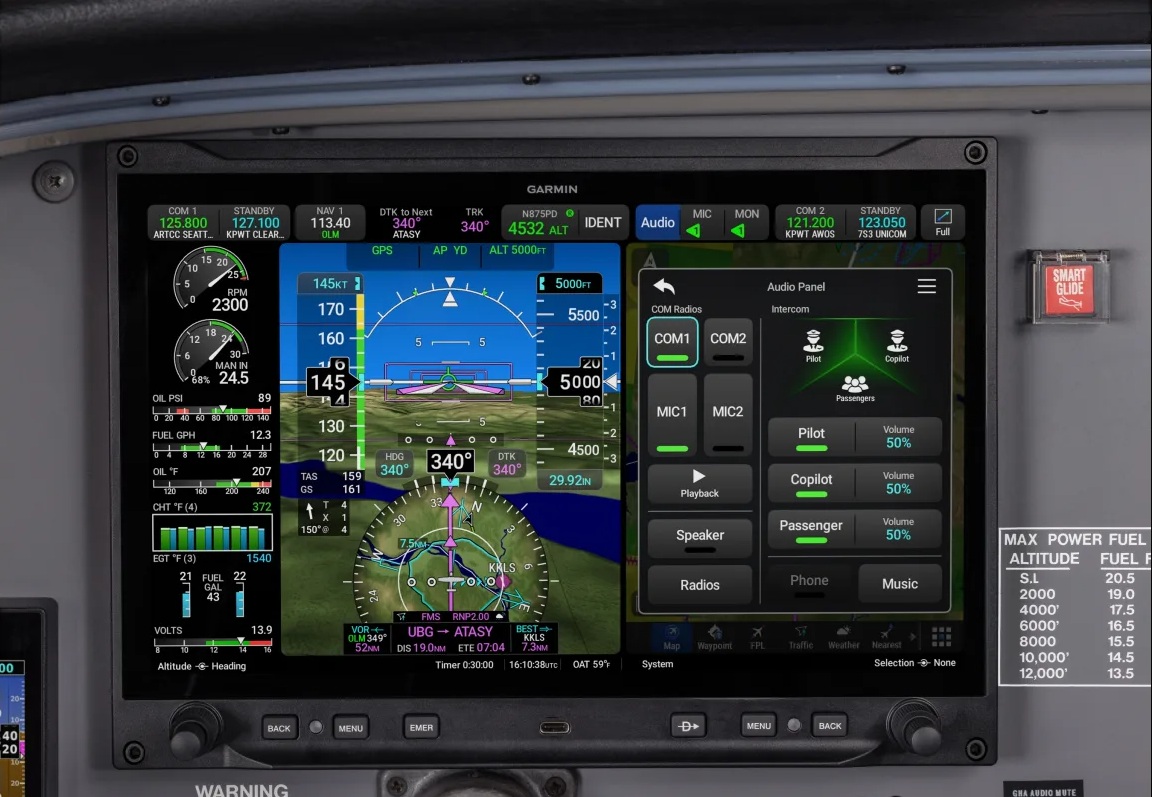
Integrated Audio Panel
Communicate clearly with your passengers with the built-in 4-place intercom. The AXIS flight display supports dual-comm switching, so you can talk on and/or monitor a second AXIS or external COMM radio. Use COMM playback to review clearances, missed radio calls and more. And pair AXIS with your phone using built-in Bluetooth® technology to listen to your music or take phone calls through your headset.
Connectivity Tools
AXIS streamlines your cockpit connectivity with built-in Wi-Fi® technology for database downloads plus Bluetooth technology for easy connection with the Garmin Pilot and ForeFlight Mobile apps on your mobile device. It will also soon be compatible with the GDL 60 datalink with PlaneSync technology, so you can check aircraft status remotely1, automatically download database updates2 and automatically upload flight logs2 to the flyGarmin.com website for storage and review.
Airport and Emergency Assistance
The AXIS flight display offers capabilities that help you to enhance safety in the airport environment, including Runway Occupancy Awareness3 to help you avoid runway incursions and optional SurfaceWatch™ technology to keep you aligned to the correct runway. AXIS also provides powerful tools to help in emergency situations — all with a single touch of the EMER button on the bezel. Depending on your configuration, you can activate Smart Glide™ technology to find a suitable airport after engine failure — and even fly to that destination with a compatible autopilot at best glide speed. Plus, it will automatically load the selected airport’s CTAF frequency in the primary COMM standby position and provide a shortcut for loading the 7700 squawk code.
